If there is a need to execute set of statements repeatedly, then we need to use looping statements. Below are the list of statements supported by shell script.
1. While Loop
2. Until Loop
3. For Loop
4. Select Loop
1. While Loop
while [ condition ]
do
	#statements

done
#!/bin/bash

var=5

while [ $var -ge 1 ]
do
	echo "the number is $var"
	var=$(($var - 1))
done
Output:
the number is 5
the number is 4
the number is 3
the number is 2
the number is 1
2. Until Loop
Until loop is similar to wile loop with a twist. Here the loop will continue to execute till the expression becomes true. As long as the condition fails, the loop continues.
Syntax:
until [ condition ]
do
	#statements
done
Note: Here we use “until”, “do” and “done” keywords used in until loop.
Example:
#!/bin/bash

var=1

until [ $var -eq 5 ]
do
	echo "the number is $var"
	var=$(( $var + 1 ))
done
Output:
the number is 1
the number is 2
the number is 3
the number is 4
As you see in above output, when the “var” value becomes 5, it will exit the loop. Hence it will not print the number 5.
3. For Loop
For loop is similar to while and until loop, but the number of times to loop should be known beforehand. There are 2 kinds of for loop.
1. The bash form of for loop syntax:
for <variable_name> in <list>
do
	#statements
done
Note: Here “for”, “in”, “do”, “done” are the keyword.
list can be a list of numbers, array list, or any other that has a list of items.
<variable_name> holds the list of items, one element at a time.
Example:
#!/bin/bash

for var in 2 4 6 8 10
do
	echo "The variable is $var"
done
Output:
The variable is 2
The variable is 4
The variable is 6
The variable is 8
The variable is 10
2. The “c” style of for loop:
for (( <initialization> ; <condition>; <increment_or_decrement> ))
do
	#statements
done
Here “for”, “;”, “do”, “done” are the keywords used.
<initialization> is used to initialize the variable
<condition> Here condition to be checked should be written. The statements between “do” and “done” will be executed until the condition become false.
<increment_or_decrement> After every loop, this expression will be executed.
Example:
#!/bin/bash

for (( var=0 ; var<=5; var++ ))
do
	echo "The variable is $var"
done
Output:
The variable is 0
The variable is 1
The variable is 2
The variable is 3
The variable is 4
The variable is 5
4. Select Loop
Usually we use select loop, when we want to display the options to the user. Generally select loop will be used with case or else-if statements for better control. As you can see from below syntax, there is no way to exit the select loop. Generally break statement should be used to exit out of select loop.
Syntax:
select <variable_name> in <list>
do
	#statements
done
Note:
“select” “in” “do” “done” are the keywords used.
The elements in “list” will be displayed to the user as a menu.
Example:
#!/bin/bash

echo "Select an operating system from below"

select var in Linux Unix macOS windows
do
	echo "The OS you have selected is $var"
done
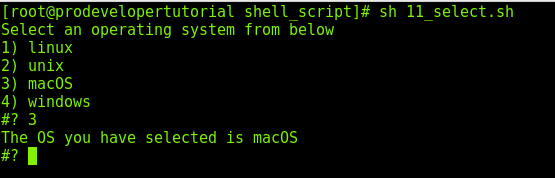
Output:
Select an operating system from below
1) Linux
2) Unix
3) macOS
4) windows
#? 3
The OS you have selected is macOS